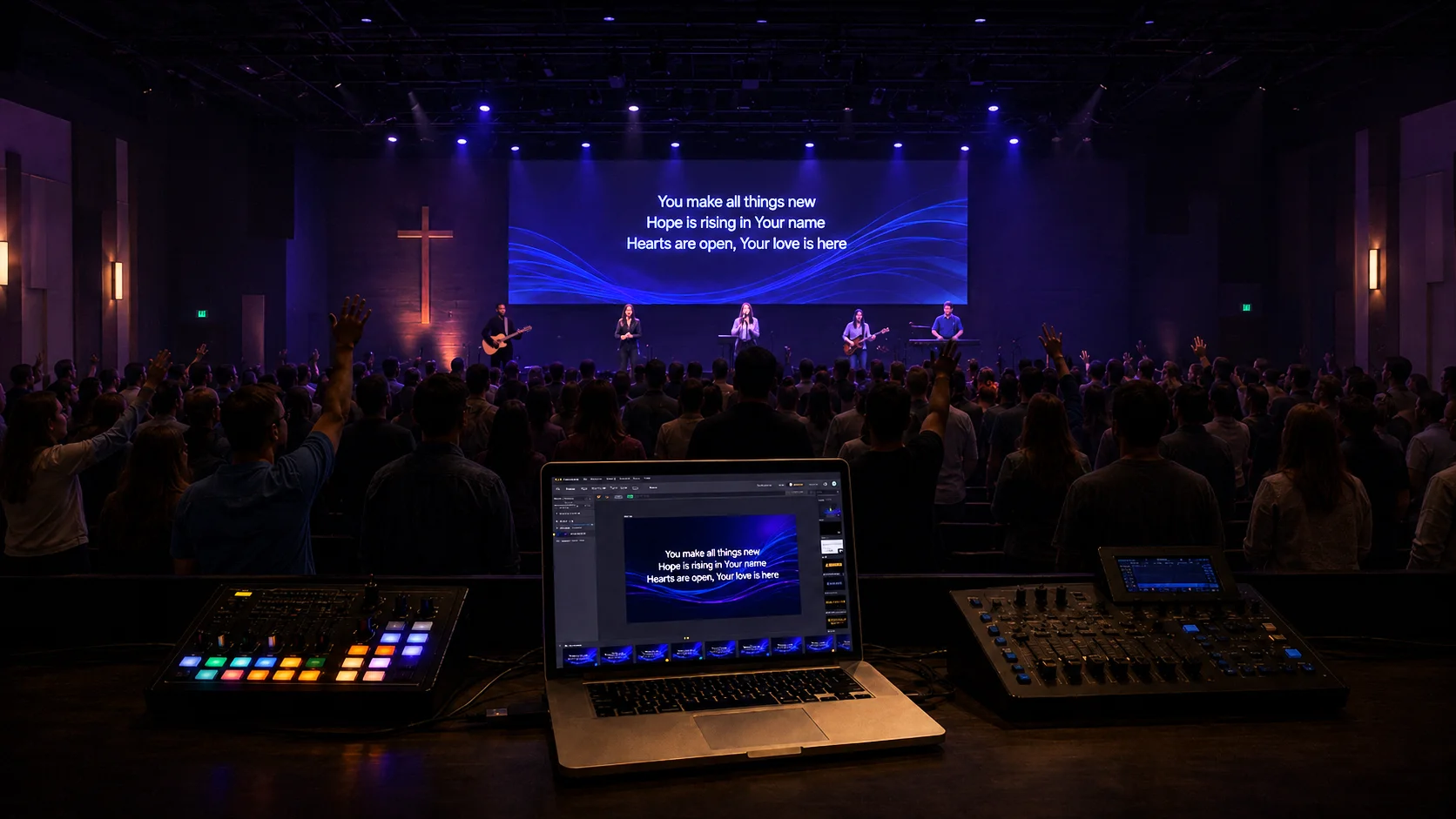
Church screens, whether they are projectors, televisions, or LED walls, play an important role in the church experience. They help people sing together, follow Scripture, understand the message, and know what to do next.
At Ministry Brands, we’re committed to helping churches simplify the tools and processes that support ministry. That’s why we’ve partnered with Proclaim by Logos — church presentation software built specifically for worship services. Through this partnership, churches can access an extended 30-day free trial and explore a platform designed to make collaboration, preparation, and communication easier.
Using screens well, however, takes more than placing information on a slide. It requires thoughtful communication, reliable technology, and a preparation process that allows pastors, worship leaders, staff members, and volunteers to work together.
The right church presentation software can make that process easier. It gives church teams a central place to prepare service content, organize media, collaborate on presentations, and control what appears on different screens throughout the church.
Before exploring how Proclaim can help, it is helpful to understand what church presentation software is and why so many churches use it.
What Is Church Presentation Software?
Church presentation software is a tool used to create, organize, and display visual content during worship services, events, and other ministry activities.
Churches commonly use it to present:
- Worship lyrics
- Scripture passages
- Sermon points
- Videos and images
- Announcements
- Countdown timers
- Communion or baptism instructions
- Prayer prompts
- Live stream graphics
- Content for confidence monitors and lobby displays
Unlike general slide programs, presentation software for churches is typically designed around the flow of a worship service. It may include tools for importing lyrics, displaying Bible passages, organizing an order of service, sending different content to multiple screens, coordinating volunteers, and preparing live stream overlays.
You may also hear this category described as worship presentation software, church service presentation software, or church presenter software. While the wording varies, the purpose is the same: helping churches communicate clearly through the screens used during and around their services.
How Proclaim Helps Churches Get More from Their Screens
Proclaim by Logos is cloud-based church presentation software built specifically for ministry. It helps teams create Sunday-ready presentations, collaborate from different locations, and bring lyrics, Scripture, sermon content, announcements, media, and service elements into one shared workflow.
Pastors, worship leaders, staff members, and volunteers can contribute to the same presentation from different computers. One person can prepare songs, another can add sermon content, and someone else can finalize announcements or service details.
Proclaim also provides unlimited team accounts and installs, along with features such as SongSelect integration, Scripture tools, digital signage, multi-screen outputs, sermon recording, streaming support, and integration with the Logos Bible study platform.
Through the partnership between Ministry Brands and Proclaim, churches can receive an extended 30-day free trial.
Here are seven creative ways churches can use Proclaim to make every screen more helpful, engaging, and intentional:
1. Turn Pre-Service Screens into Digital Hospitality
Hospitality begins before anyone says welcome from the stage.
A first-time guest may wonder where to take their children, what will happen next, or how to connect. Pre-service screens can quietly answer those questions.
Consider displaying:
- A warm welcome
- The service start time
- Children’s check-in information
- Directions and accessibility details
- A brief explanation of what to expect
- A Scripture passage or prayer prompt
- A simple way to connect
Write from the perspective of someone who has never attended your church. Avoid insider language and keep each slide focused on one clear message.
Proclaim organizes presentations into pre-service, warm-up, service, and post-service sections. That helps teams think about the full experience, not only what appears during worship or the sermon.
2. Make Worship Lyrics Easier to Follow
Lyrics are one of the most common uses of church screens, but small choices can make a major difference in participation.
Use readable fonts, strong contrast, and short lines of text. Avoid crowding the screen, and advance slides early enough that people are not waiting for the next words.
Backgrounds should support the song without competing for attention. Motion may work well for an energetic song, while a simple still background may better fit a reflective moment.
Proclaim can populate lyrics from Hymnbase or a church’s SongSelect by CCLI account, reducing manual entry. It also includes lyric animations that help congregations follow along more naturally.
The goal is not simply to show the right words. It is to remove barriers that might keep someone from participating.
3. Help People Engage with Scripture
Church screens can make Scripture more visible and accessible throughout the service.
Displaying a passage while it is read helps people follow along, even when they do not have a Bible with them or are unfamiliar with finding a particular book.
Keep the text readable. Rather than placing a long passage on one crowded slide, divide it into smaller sections that follow the reader’s pace.
Screens can also highlight the main passage, a repeated phrase, supporting references, a reflection question, or a short prayer based on the text.
Proclaim can quickly display an unplanned Scripture reference during a service. Its Logos Bible Software integration also helps move sermon research, notes, and biblical content into the presentation with less copying and reformatting.
Technology should never replace studying Scripture, but it can help keep Scripture central and easier to follow.
4. Reinforce the Sermon Without Repeating Everything
Sermon slides are most effective when they reinforce the message, rather than reproduce it word for word.
Use them to emphasize a main point, memorable statement, key question, Scripture reference, simple visual, or practical next step.
Too many slides can make a sermon feel like a presentation the congregation is expected to transcribe. When every sentence appears on the screen, people may spend more time reading than listening.
Instead, use the screen to create emphasis. A meaningful sentence shown at the right moment has room to land.
Because Proclaim is cloud-based, pastors and presentation teams can work on the same service from different locations. Sermon content can be added or updated without repeatedly emailing files or waiting for access to the church computer.
5. Create Space for Prayer, Reflection, and Response
Not every moment needs more visual content.
During prayer, communion, testimony, or a reflective part of the message, a busy screen can compete with what is happening in the room. A simple visual, a short Scripture passage, or even a blank screen may serve the moment better.
Screens can also provide clear guidance during a response. You might display a guided prayer, communion instructions, a question to consider, a reminder that prayer team members are available, or a clear next step.
The goal is to give people enough clarity to participate without overwhelming the moment.
Proclaim’s Quick Screens feature allows teams to prepare commonly used content in advance and access it when something changes during the service. Sometimes the most helpful thing a screen can do is communicate less.
6. Use Different Screens for Different Audiences
Every screen in your church does not need to show the same thing.
A sanctuary screen may display lyrics or sermon content, while a lobby screen may welcome guests, share directions, or highlight upcoming events. An overflow room may need the service feed, while a backstage display may need timers, stage messages, or service cues.
Proclaim supports multiple screen outputs, digital signage, live stream needs, and confidence monitors. That allows churches to create content for the sanctuary, lobby, overflow areas, volunteer spaces, and online audiences from one presentation system.
The better question is not simply, “What should we put on the screen?” It is, “What does this audience need from this screen?”
7. Keep Communicating After the Service
The final song does not have to mark the end of your visual communication.
Post-service screens can reinforce important next steps, such as submitting a prayer request, meeting someone at the welcome area, joining a group, registering for an event, finding a place to serve, or watching the message later.
Keep each slide simple. A crowded list of every ministry and event will be harder to remember than one focused invitation.
Proclaim’s digital signage tools can also extend communication beyond Sunday. A lobby screen might promote student ministry on Wednesday, provide directions during an event, or welcome guests throughout the week.
Church screens can become part of a larger communication strategy rather than something used only during worship.
Better Screens Begin with Better Collaboration
Creative ideas only help when the church has a practical way to prepare and manage them.
In many churches, presentation preparation still depends on one person and one computer. The worship leader sends lyrics. The pastor emails sermon notes. The communications team shares announcement graphics. A volunteer then brings everything together while managing formatting problems and last-minute edits.
Proclaim replaces that scattered process with one shared, cloud-based presentation. Pastors, worship leaders, staff members, and volunteers can contribute from wherever they are, and one subscription provides unlimited seats and installs.
The result is more than better slides. It is a healthier preparation process that reduces one-person bottlenecks and helps the team arrive on Sunday with greater clarity and confidence.
Why Ministry Brands Is Partnering with Proclaim
Our team at Ministry Brands is committed to helping churches simplify the responsibilities that support ministry.
Our partnership with Proclaim extends that commitment into worship presentation. Proclaim gives church teams a platform built around the practical realities of Sunday preparation, including remote collaboration, volunteer access, Scripture-rich presentations, and content for screens throughout the church.
It helps teams spend less time managing files and slides so they can focus more attention on the worship experience and the people they serve.
Through the Ministry Brands partnership, churches can explore Proclaim with an extended 30-day free trial.
